Other Workout Functions
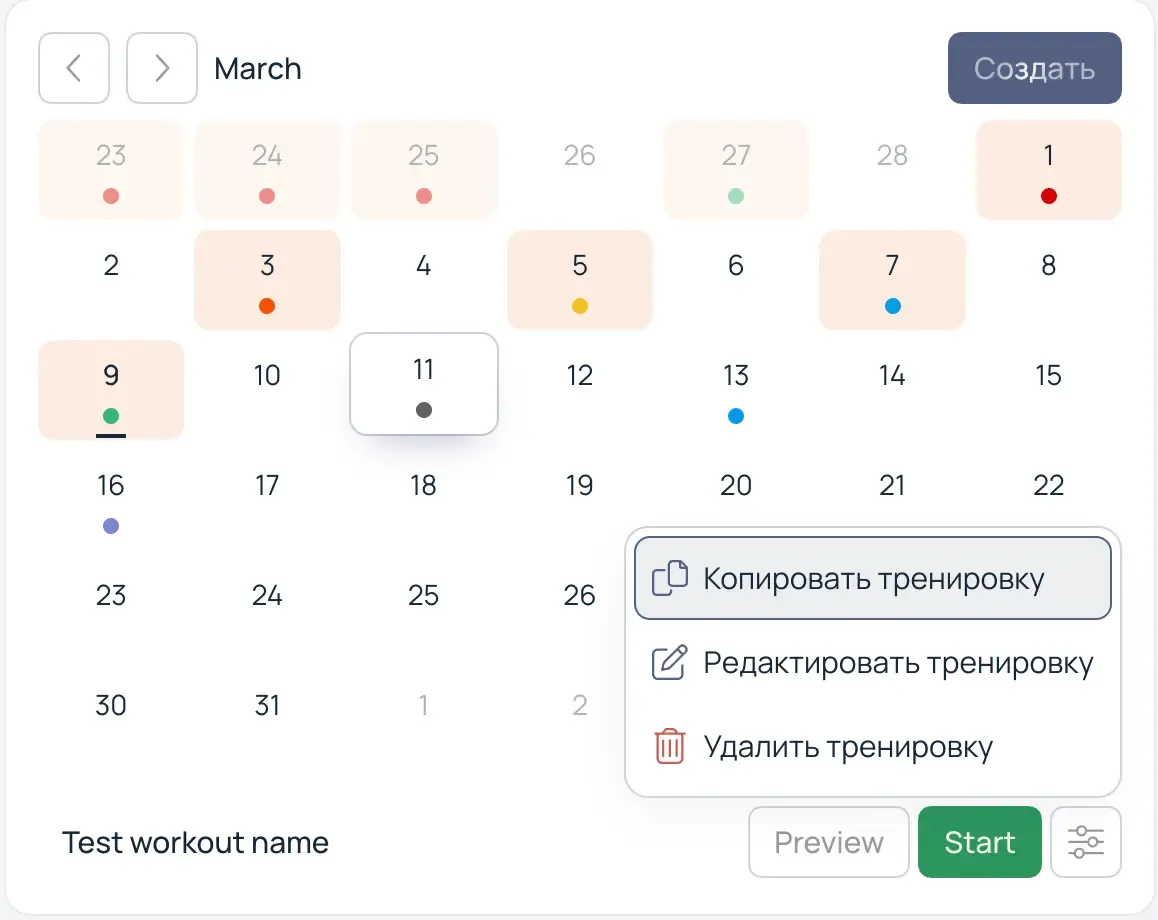
You can always copy, delete, or edit a workout. To copy, select the desired date. In the context menu of the desired workout, select "Copy".
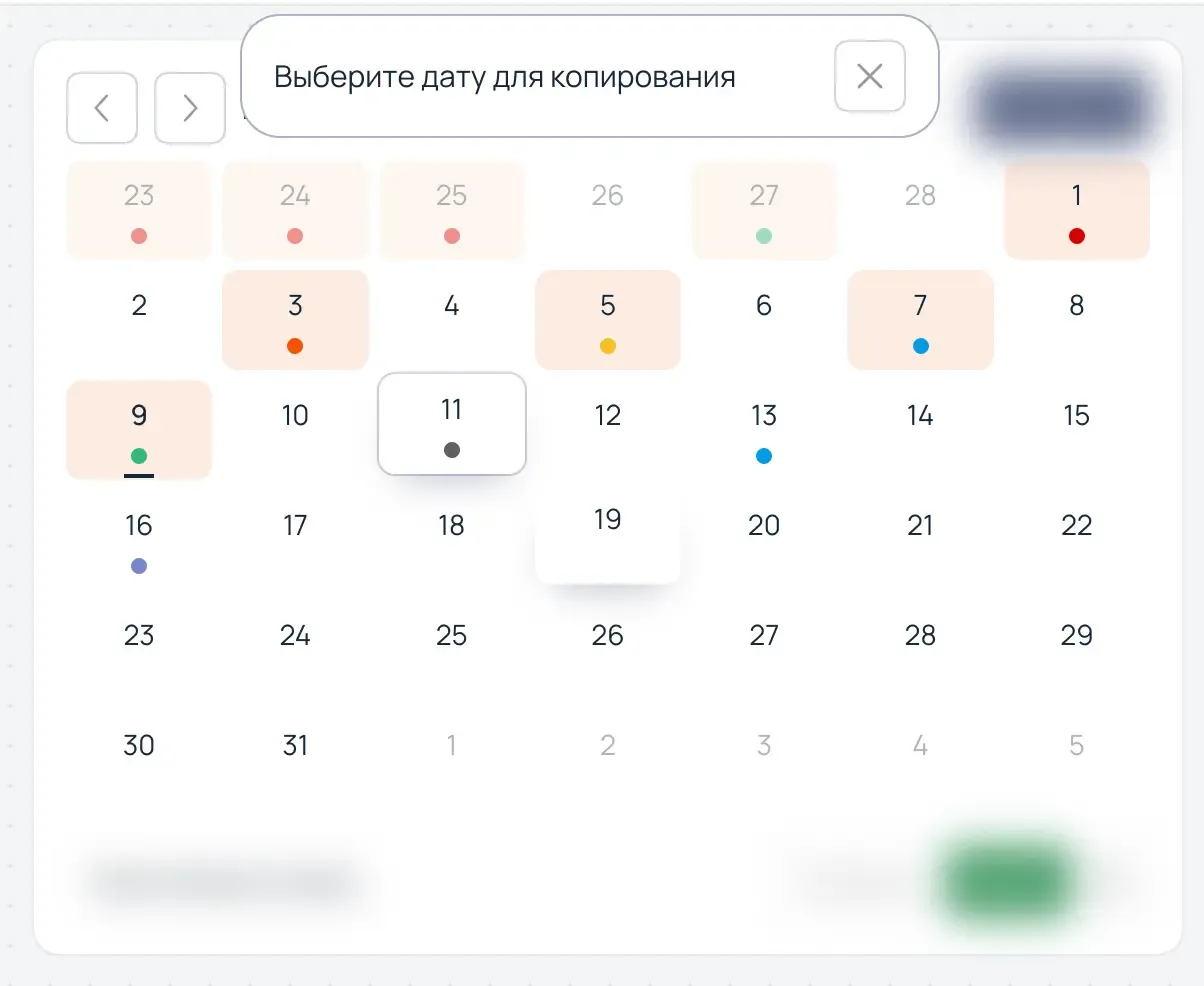
Then assign a date for the copied workout.
Creating and Organizing Your Own Exercises
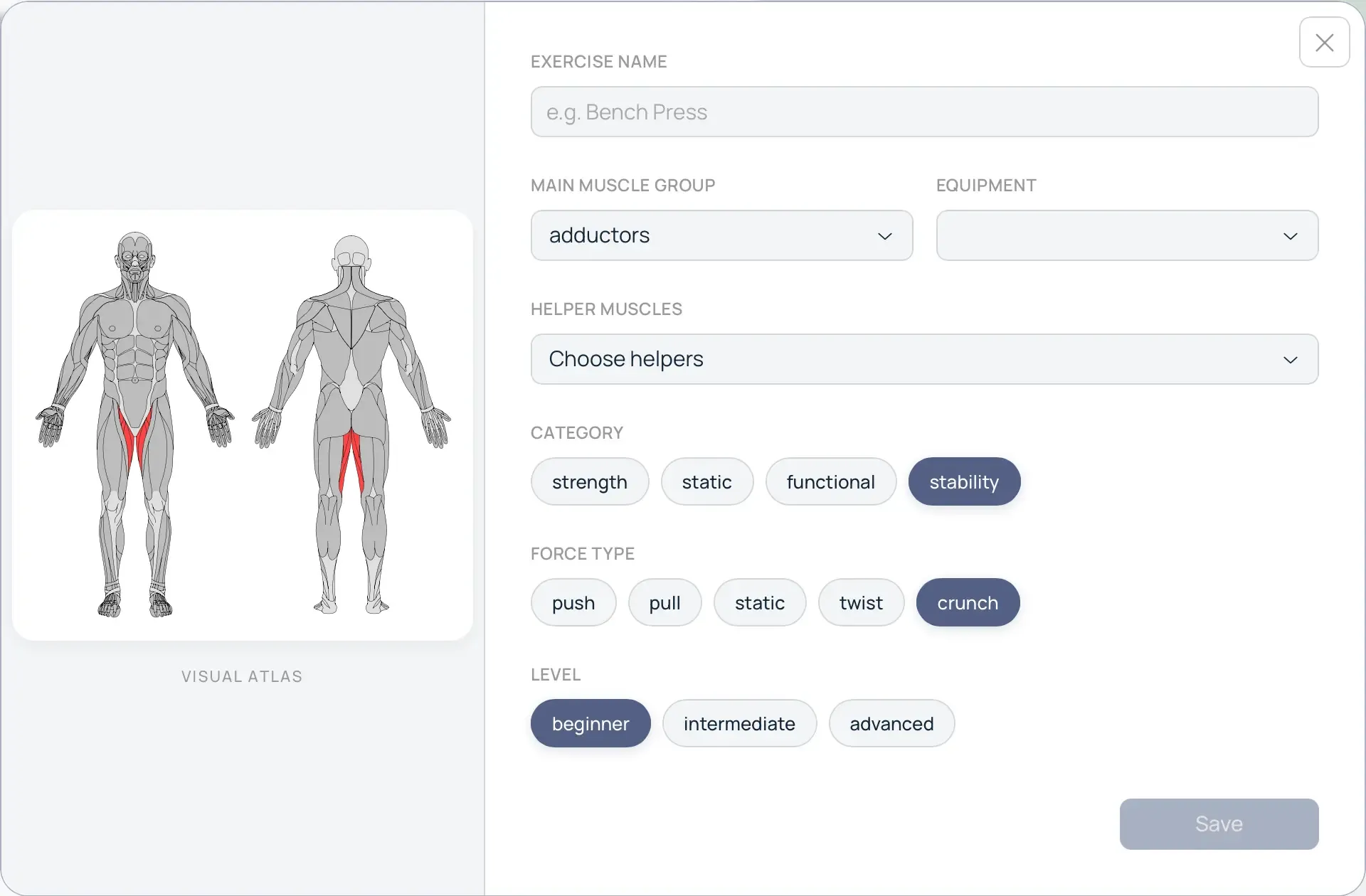
If you didn't find the exercise you need in the library or simply want to use the names you prefer — you can always create your own exercise.

In the window that opens, enter the name of the exercise, as well as other parameters that correspond to the exercise being created.
Creating Folders
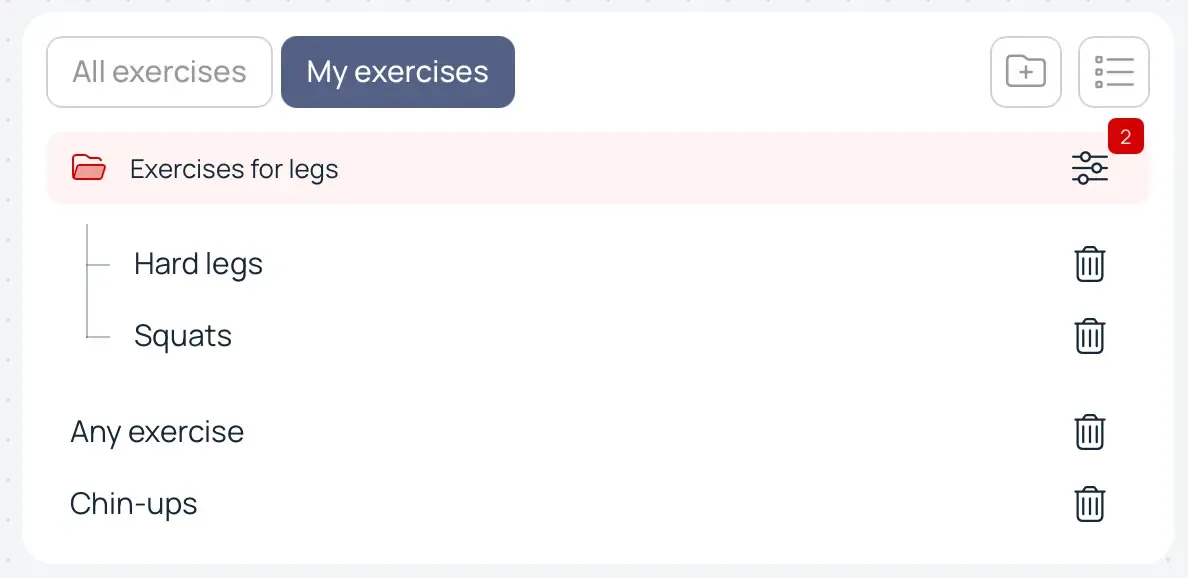
If there are too many exercises, you can create folders to organize them. For example, "Leg Exercises", "Super-Duper Exercises". Drag and drop an exercise into the created folder with your mouse.
info
When a folder is deleted, the exercises are NOT deleted. They will simply be located outside of folders.