Completing a Workout
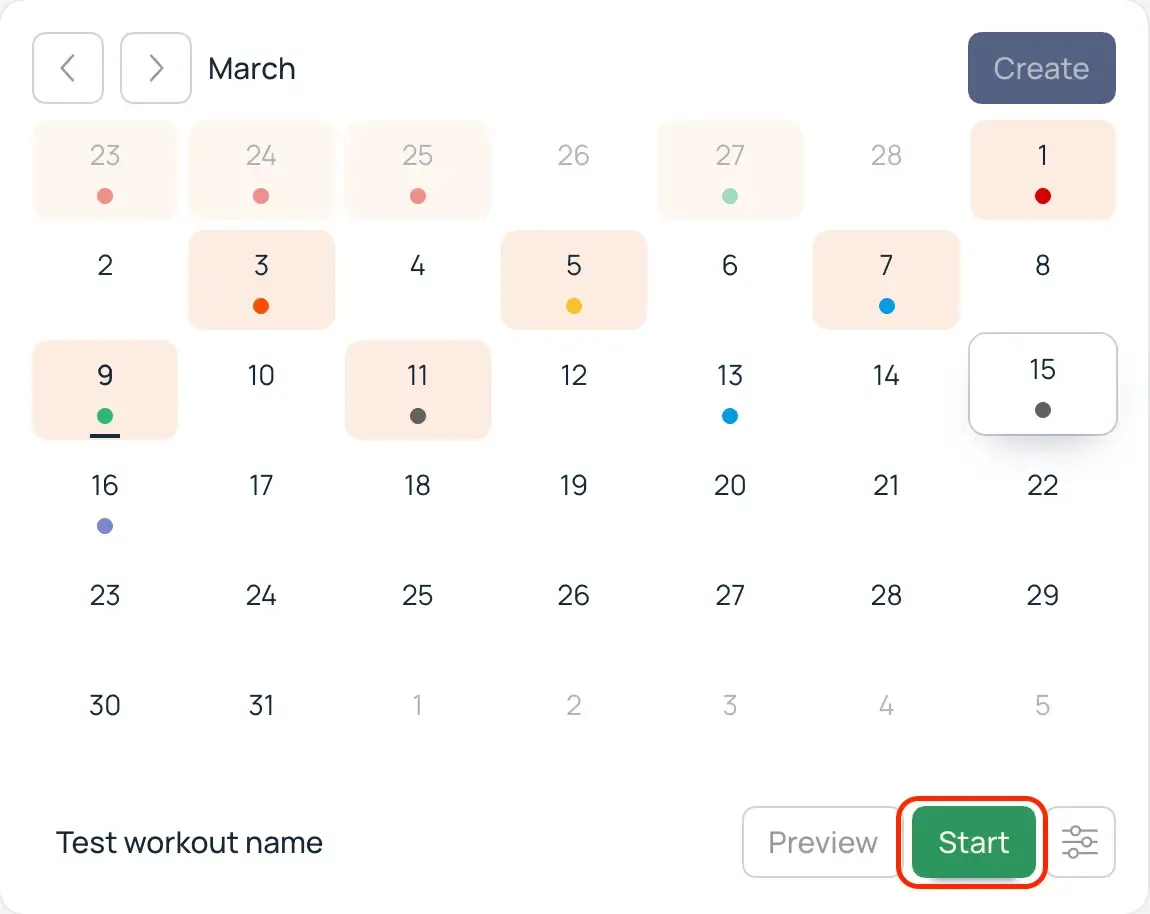
The workout is created. It's time to start it! Select the date with the workout in the calendar. Click "Start" and confirm the beginning of the workout.
The workout interface is fairly simple. At the top, you see the workout name and the total elapsed time. Below are the exercises. On the right is a chart comparing the planned and actual results.
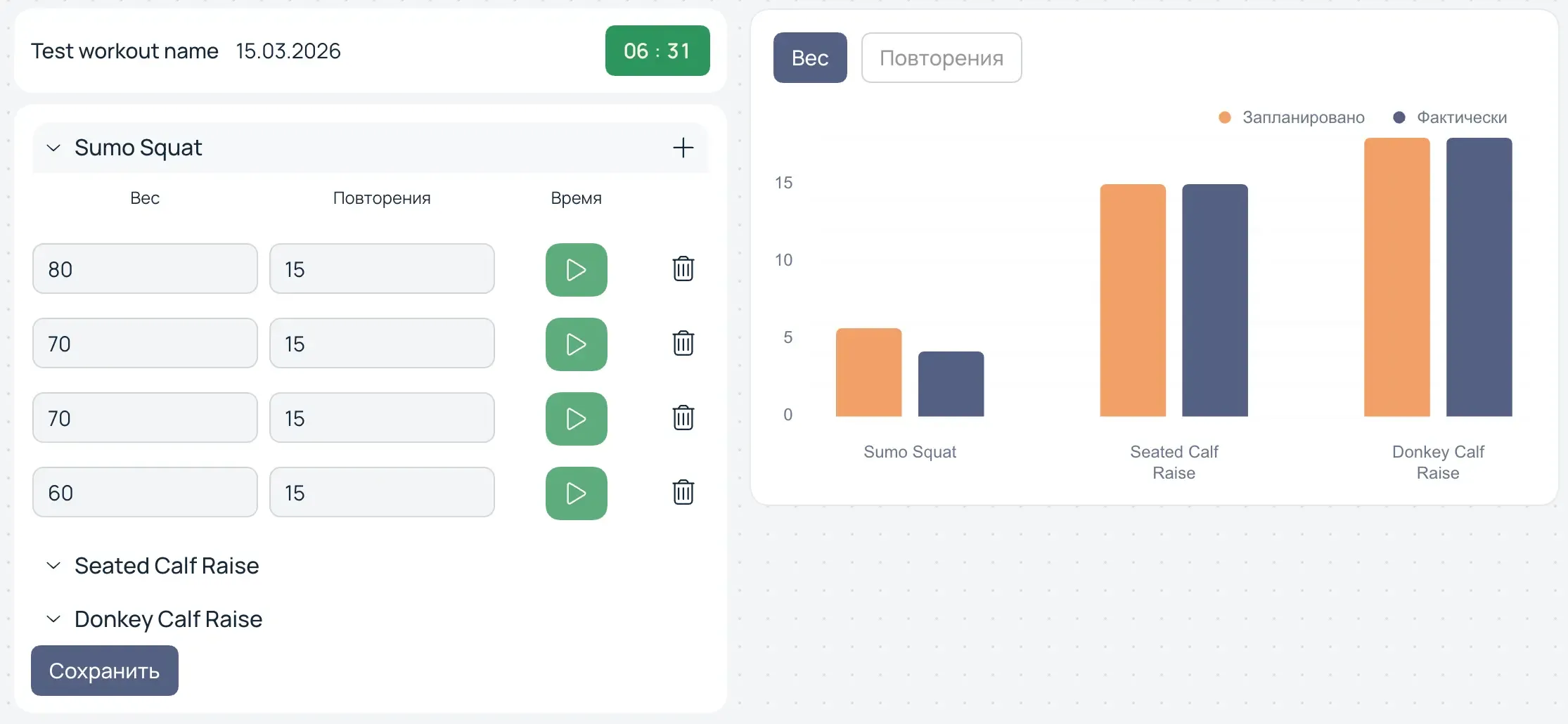
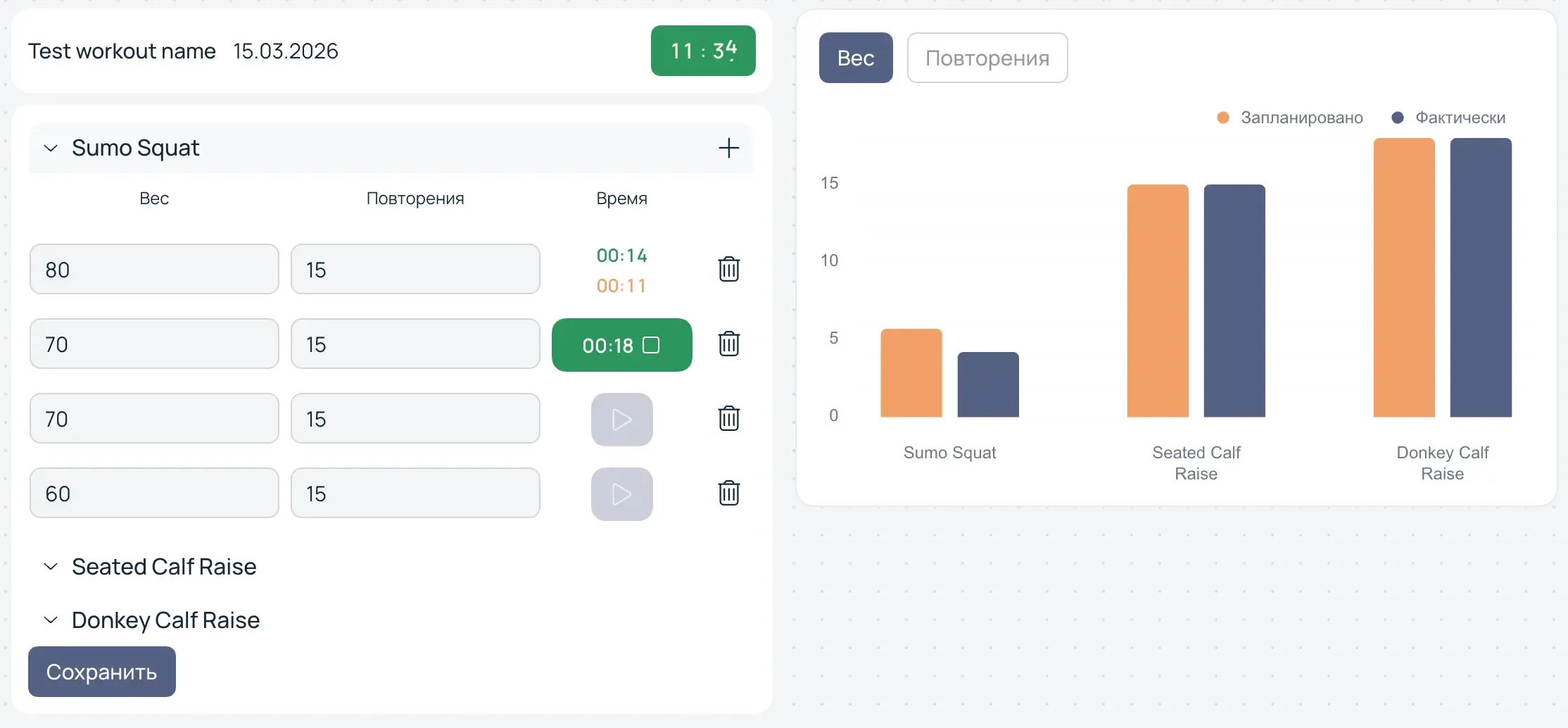
Click on an exercise to expand it and see the sets. There is a timer for each set. Start the timer before beginning a set and click it again when finished. A rest timer will start.
info
Using timers is not mandatory. However, the time spent on exercises and rest between sets is taken into account when calculating statistics and analytics. If you need more complete data for analysis, it is recommended to use timers.